Fixed closing a window losing its tabs and its Claude Code (or other agent) sessions. When Otty started with nothing to restore, the window it opened was treated as a throwaway placeholder no matter what you then did in it. With Quit After Last Window Closed on, closing it saved an empty session, so the next launch showed a fresh ~ shell instead of resuming your agents — and since that launch opened another placeholder, it kept happening every time. With the setting off, that window never showed up in File → Open Recent, so it couldn't be reopened either. Closing the last window also no longer asks twice ("Close Window?", then "Quit Otty?").
Fixed a window you opened after launch (⌘N, the Dock, or otty window new) not coming back after you quit. It was only saved once something else changed, such as opening a tab in it — a new window where you just started an agent and quit was gone on the next launch.
Fixed Otty freezing, with memory climbing fast, when you closed a window whose active tab had a file editor open on a line starting with a CJK character or a tab (macOS 26 and later, with scroll bars always visible).
Open in Otty → New Window on a file now opens a window with just that file — no stray terminal tab beside it, and the file no longer lands in the window you already had open.
Korean input: syllables no longer vanish when you type quickly and press Space (roughly every other one could disappear in Claude Code), and a consonant or vowel you are still composing no longer covers the character before it.
The HTML preview now runs the page's own scripts, so pages that build themselves in JavaScript (prototypes, generated reports) no longer preview blank. A page that keeps its place in the URL (#section) stays there when you edit, reload or switch themes. SVG previews still run no scripts.
Fixed Open Quickly crashing as it opened when your tab titles shared a prefix ending in : (such as user@host: ~ and user@host: /tmp); that shared prefix is dimmed again as intended.
In the Outline of a pretty-printed JSON file, array items now point at their own line instead of the one above.
The Workspace Command panel's submenus no longer look dimmer than the menu they open from, and its pane list marks the focused pane with a small dot so every title lines up.
fish: ssh to a host Otty hadn't seen before no longer prints test: Missing argument at index 3.
OpenCode: the Otty plugin loads under OpenCode's newer plugin loader again (it failed with "Missing key at default"). Install the plugin again once from Settings → Agents; it needs OpenCode 1.3.4 or later.
Fixed Otty 1.5.0 refusing to start on any Mac not yet running macOS 26 — "Otty can't be opened because of a problem", before the app got as far as a window, on Apple Silicon and Intel alike. 1.5.0 asked for a Swift runtime library that only macOS 26 ships and carried no copy of its own; 1.5.1 bundles it. Nothing was wrong with your install — the download and the in-app update were the same build, and 1.4.1 was unaffected.
If 1.5.0 is what you have, the fix can't reach you through an app that won't open: download 1.5.1 below and replace it.
The terminal's own scrolling glides too. Press Return at a full screen and the picture slides up instead of cutting; Output Scroll Animation splits this from the gesture. Learn more.
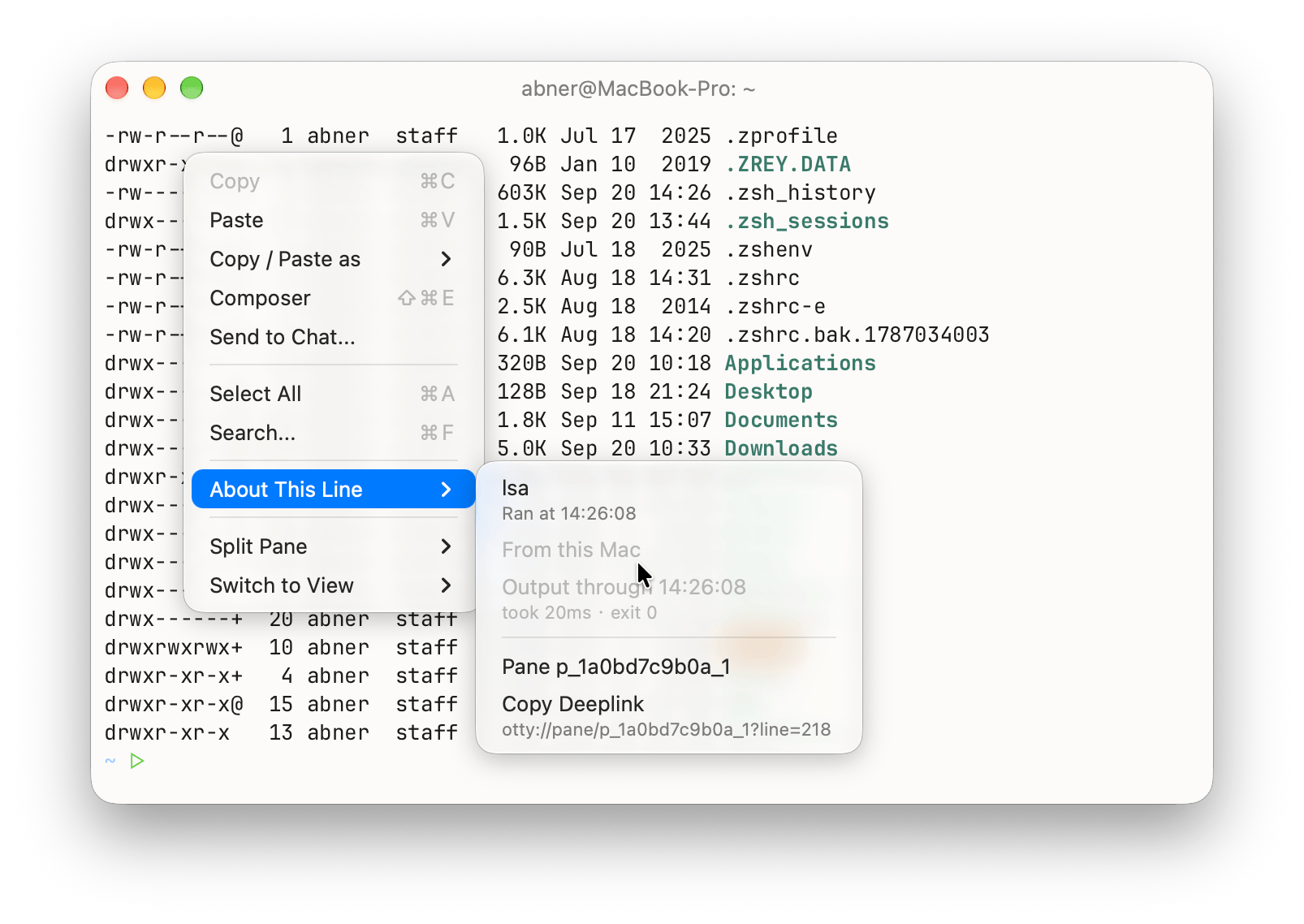
About This Line. Right-click any row: which command printed it, when, how long it took, how it exited — plus a link back to that exact line (otty://pane/<id>?line=<n>). otty pane link prints one, so an agent in a background split can hand you a way back to the failure. Learn more.
Mermaid diagrams in the Markdown preview. A `mermaid fence becomes the picture it describes, coloured from your theme and drawn entirely on your machine. A block that doesn't parse stays readable as its own source. Learn more.
Step through the images a command printed. In an image opened from the terminal, ← / → move to the previous / next image that pane's output names, scrollback included.
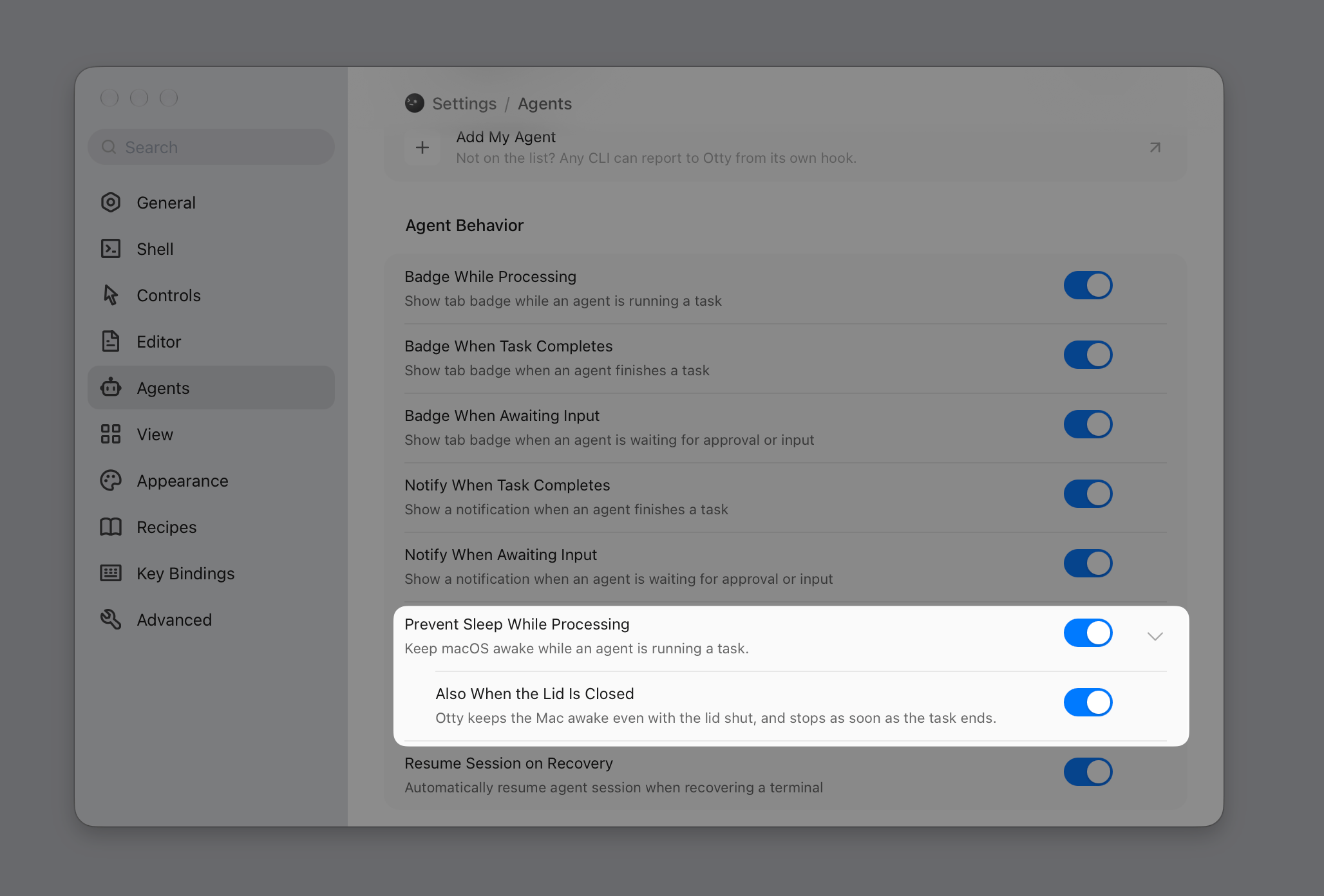
Keep the Mac awake with the lid closed. The old assertion never survived a clamshell; a small privileged helper now does, off by default. The hold lives on an open connection, so if Otty dies, sleep comes straight back. Learn more.
A Show / Hide global hotkey, alongside Show Otty — press it while Otty is in front and you go back to what you were using. Settings ▸ Key Bindings also gains search by shortcut: press a chord, see everything bound to it. Learn more.
Autocomplete remembers whole command lines, per folder, matched against everything you've typed — so npx @d completes a long npx @deepseek-ai/dsh web. Commands that look like they carry a secret are never recorded (Skip Secrets). Also: a missing command comes back behind the runner you type, otty jump folders rank by frecency, spec-less commands learn whether their arguments are paths, and a new Right Arrow accept mode leaves Tab to your shell. Learn more.
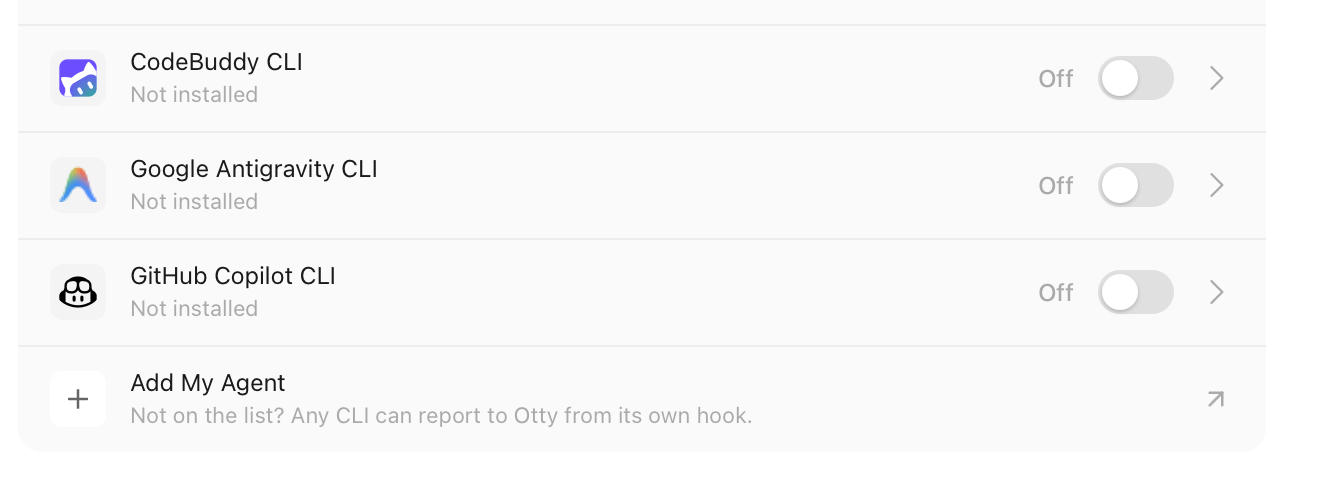
CodeBuddy CLI, Google Antigravity CLI, GitHub Copilot CLI and Your Code Agent — the first three join the built-in list with badges, notifications and resume; the new Add My Agent row says out loud what was always true, that any CLI can report to Otty from its own hook. Session history now also covers Cursor CLI and OpenCode's SQLite store. Learn more.
/otty — one skill for the whole window: map the panes, split one, run commands and read back what happened, start a *second* agent and hand it a task, wait on all of it. Learn more.
Ports in the Shell menu — every port your terminals have open, grouped by tab, with anything answering HTTP on loopback named after its own page title. Learn more.
otty://run links open a tab and *type* the command at the prompt. Never Return — not by default, not behind a parameter. Learn more.
Split and agent pickers in the command palette — Split View…, and Fork… / Branch… with the four directions plus New Tab and New Window. Learn more.
Improvement
Performance Improvements: Plain text arrives 2–4× faster, for 2–4× less CPU per megabytethan 1.4.1. Much less memory, and no day-long growth.
New UI for settings panel.
Tooltips draw their shortcut as key pills, resolved when shown, so a rebind updates them too.
A ⤢ zoom button joins the ✕ on the split handle, and a zoomed split now survives a restart.
The Git and Files panels refresh from their context menu, and an untracked folder in Git gets a disclosure triangle instead of one opaque ?? dir/ line.
A theme can name its backdrop per platform with [mac] / [windows] beside [window]. Learn more.
New windows cascade 28pt down-and-right instead of landing exactly on top of each other.
otty jump moves the shell itself, zoxide-style — nothing typed into the pane, and your history keeps the otty jump you ran.
Hide Scrollbar While Following Output (All Settings) ties the scrollbar to you rather than to the output. Learn more.
Otty says so, once, when tmux is turning your wheel into arrow keys — and points at set -g mouse on.
Bug fix
⌘W could close a whole window of running sessions. File ▸ Close carried Close Window's selector, so any missed claim of the chord — a CJK input source is the likely way in — escalated from "close this tab" to killing every session in the window.
A restored window could come back as a 457pt sliver when the display it was saved on was gone, with its grid stuck at 26 columns.
CJK and emoji text could be decoded as a Sixel picture — 丐 ends in 0x90, which the scanners took for a DCS introducer — leaving garbage images in memory and running line-heavy output several times slower for the rest of the session.
Fixed the viewport flashing while you type: a full-screen frame split across 1024-byte reads was parsed in halves, and each drew.
A TUI asking for the background colour mid theme-fade got the fading colour, so Claude Code kept its dark scheme under a light theme.
Exiting tmux no longer brings the pane back inside a new empty tmux session on the next launch.
An iTerm2 picture lands where its sequence puts it; a Sixel is sized against the grid it lands on and drawn 1:1; Kitty virtual placements are separate.
Nerd Font icons sat ~2px above the text baseline.
Ligatures come back on fonts whose rules live in an AAT morx table.
A URL in Chinese prose ends at the full-width comma.
An erase from column 0 severs the soft-wrap link above it, so a re-wrap no longer joins two lines that were never one.
Fixed the app trapping on a full style map with overflow cells.
IME:^C stays ^C under an input method that answers it with insertText("c"); the preedit stays inside the grid and off a TUI's layout, keeps its whitespace, matches the cursor style, and honours a replacement range at the prompt. The composer stops offering system completions over it.
Otty finds agent CLIs the login shell can't see; focusing a tab no longer drops omp's binding; a turn killed by an API error clears the badge and the keep-awake hold; Codex sessions are named from Codex's own session index.
Otty's ssh wrapper no longer overrides the ControlMaster you configured yourself (reported against 1.4.1).
Wheel reports carry raw rows rather than the scroll multiplier, so a notch in tmux scrolls a notch instead of five lines.
The Files panel follows the shell into the directory it cd'd to; the theme picker checks the theme you're using; the update window comes back full-size.
A ] inside a quoted command no longer truncates a saved recipe's array, and otty config get / set are inverses again for list keys.
Fixed Otty crashing as it quits on macOS 26 and later — "Otty quits unexpectedly" after ⌘Q, every time. Your windows and scrollback were already saved by the time it happened, so nothing was lost and the next launch came back intact, but the crash was real: while closing its windows Otty repainted terminals it had just shut down.
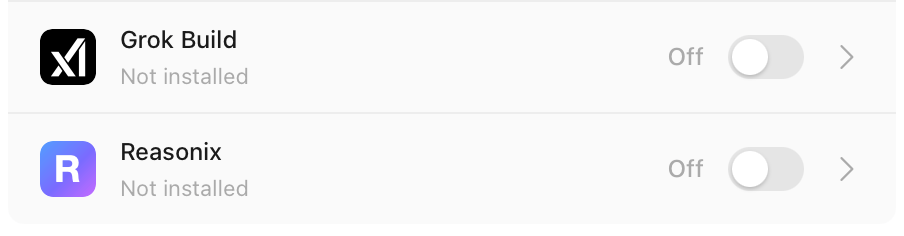
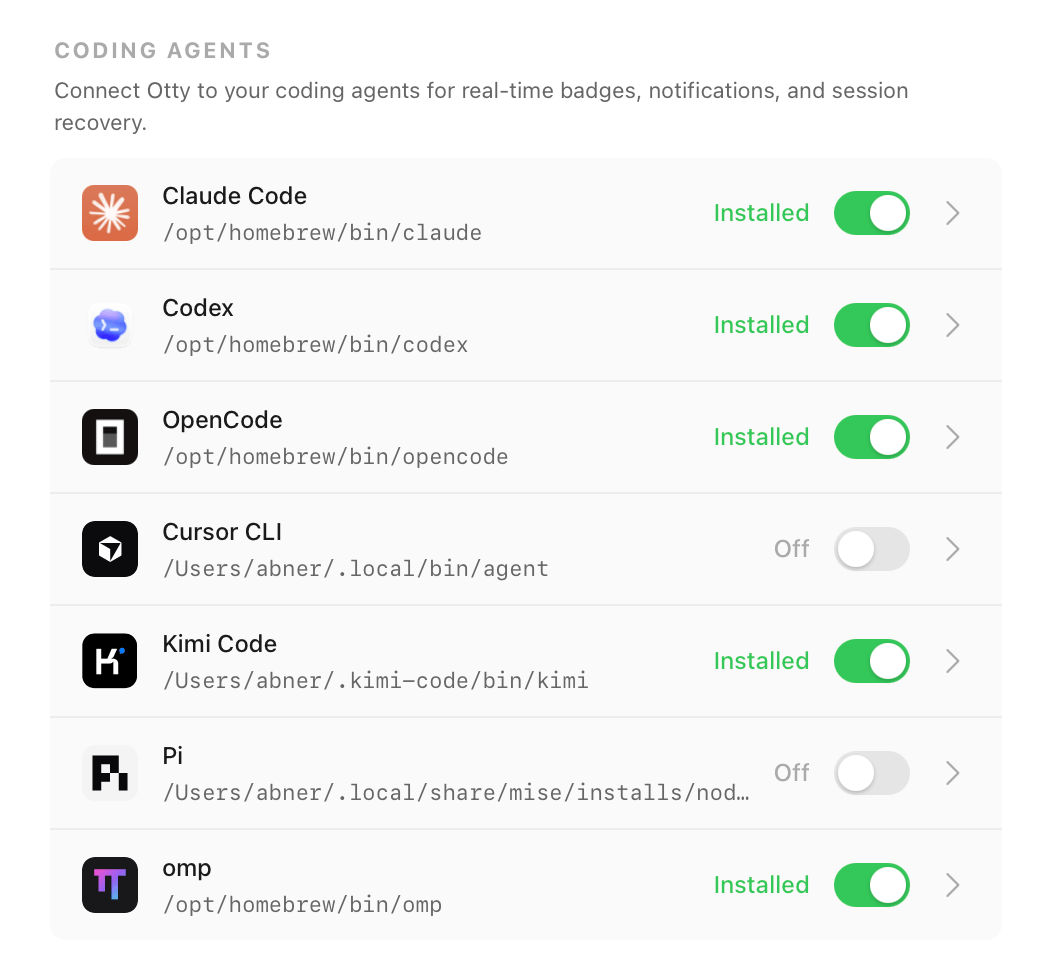
Grok Build and Reasonix join the built-in agents, alongside Claude Code, Codex, OpenCode, Cursor CLI, Kimi Code, Pi and omp — badges, notifications and session resume, with Fork where the agent supports it. Grok forks with --fork-session; Reasonix forks into a copy with --copy, and is one of the few that reports when it is waiting for your approval, so the tab can say so rather than just "working". Neither wires up session history yet. Install either from Settings ▸ Agents. Grok also reads Claude Code's and Cursor's hook files, which would otherwise badge its tabs under the wrong agent's name — Otty's hooks for those two now stand down when Grok is the one calling them. Learn more.
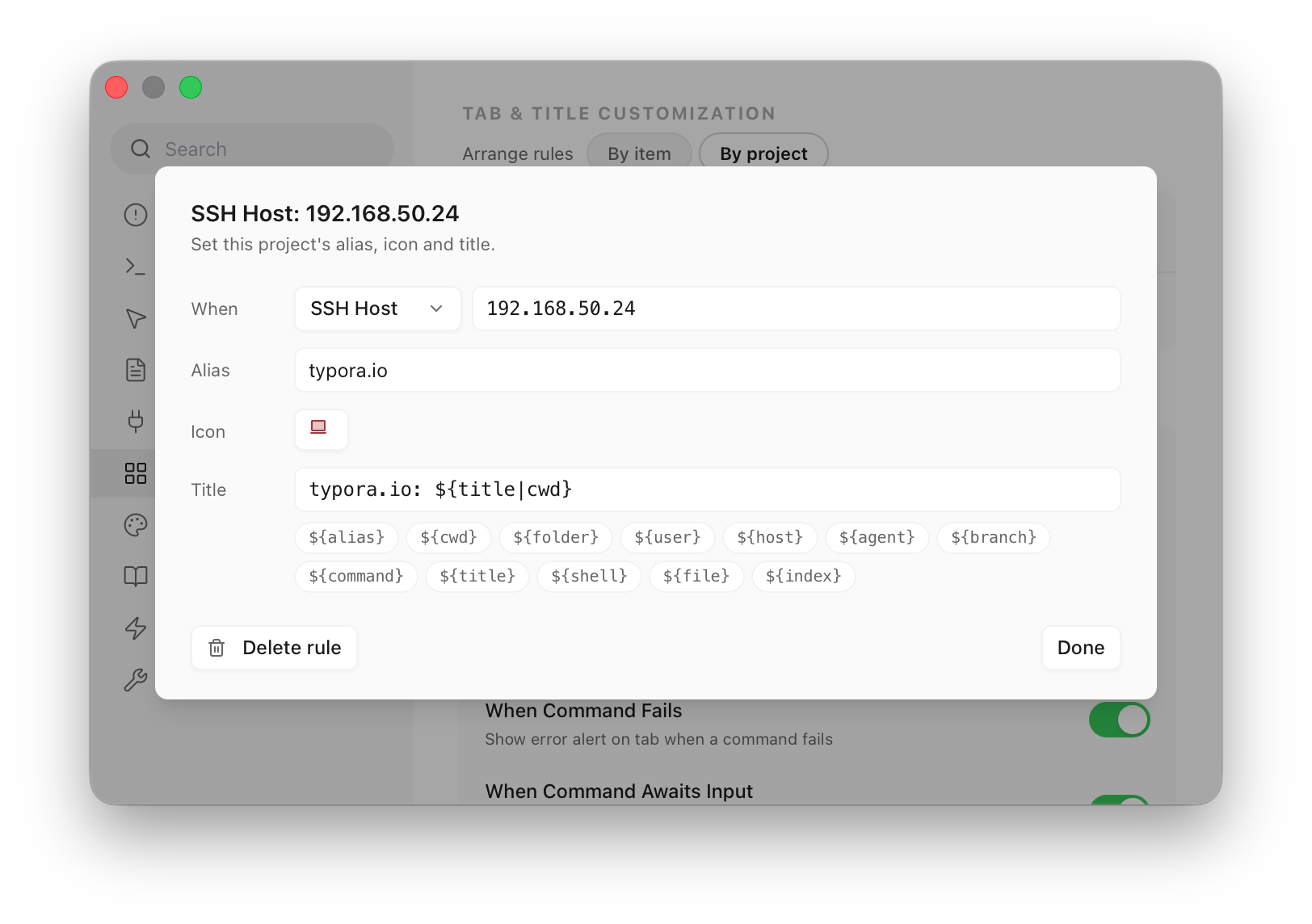
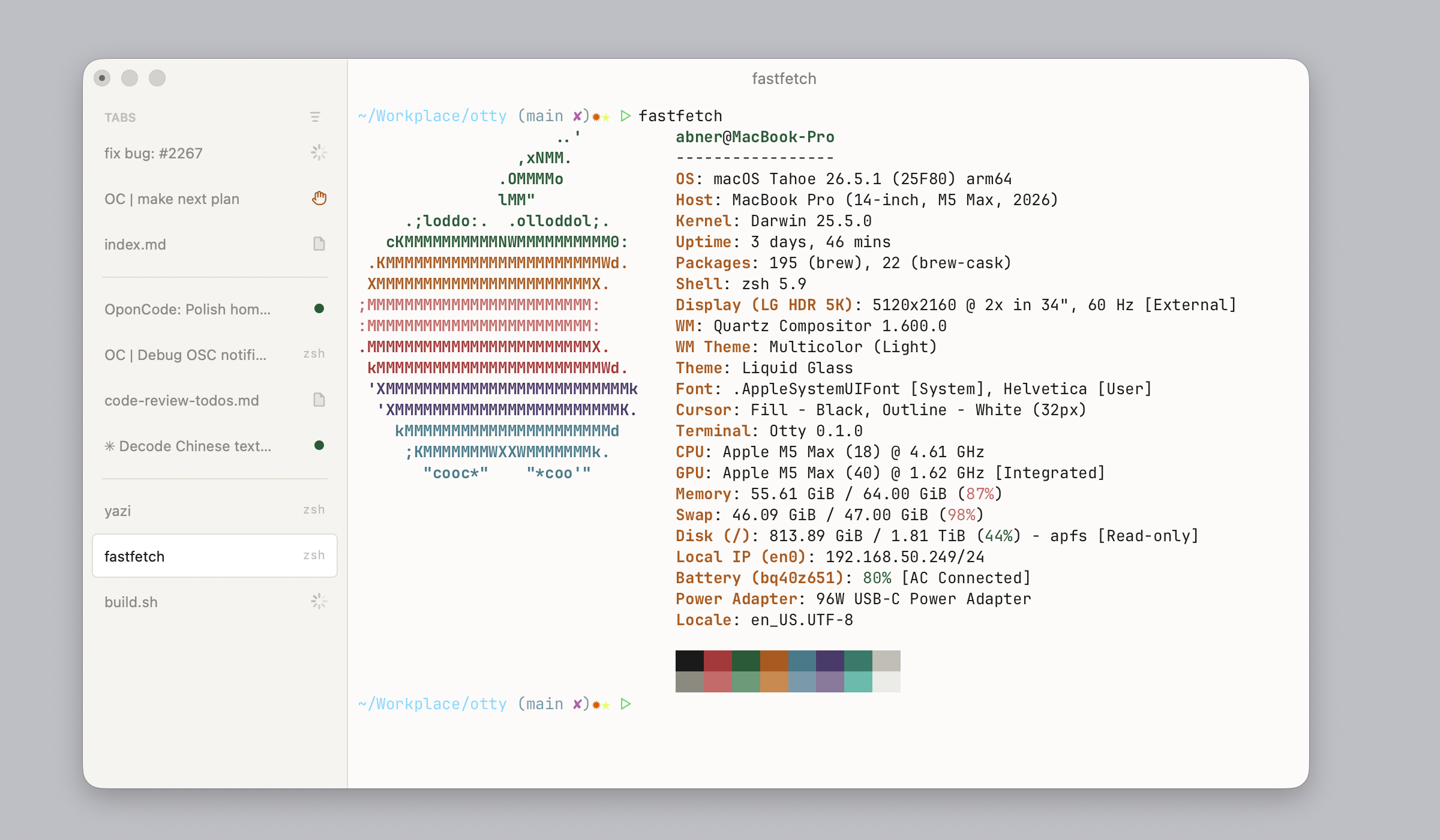
Tab rules — one ordered rule list in Settings ▸ View decides each tab's alias, icon and title, matched on working directory, foreground command, bound agent, SSH host, or a file pane's name. The icon is picked from 60 duotone marks and tinted with a colour off the live palette, so it follows your theme; the title is a template — ${folder} · ${branch} — that fills itself in. A variable that has nothing to say drops out along with any separator stranded beside it, or names a fallback with |: ${title|folder} labels the tab after its directory until the program in it sets a title of its own. Naming one tab by hand is fine once; this is for wanting every tab in a project to look a certain way. Learn more.
Icon and Badge placement — the tab icon and the status badge either share one slot on the right, where the badge takes over while a command is running, has failed, or is waiting for input, or split in two with the icon on the left and badges on the right. Learn more.
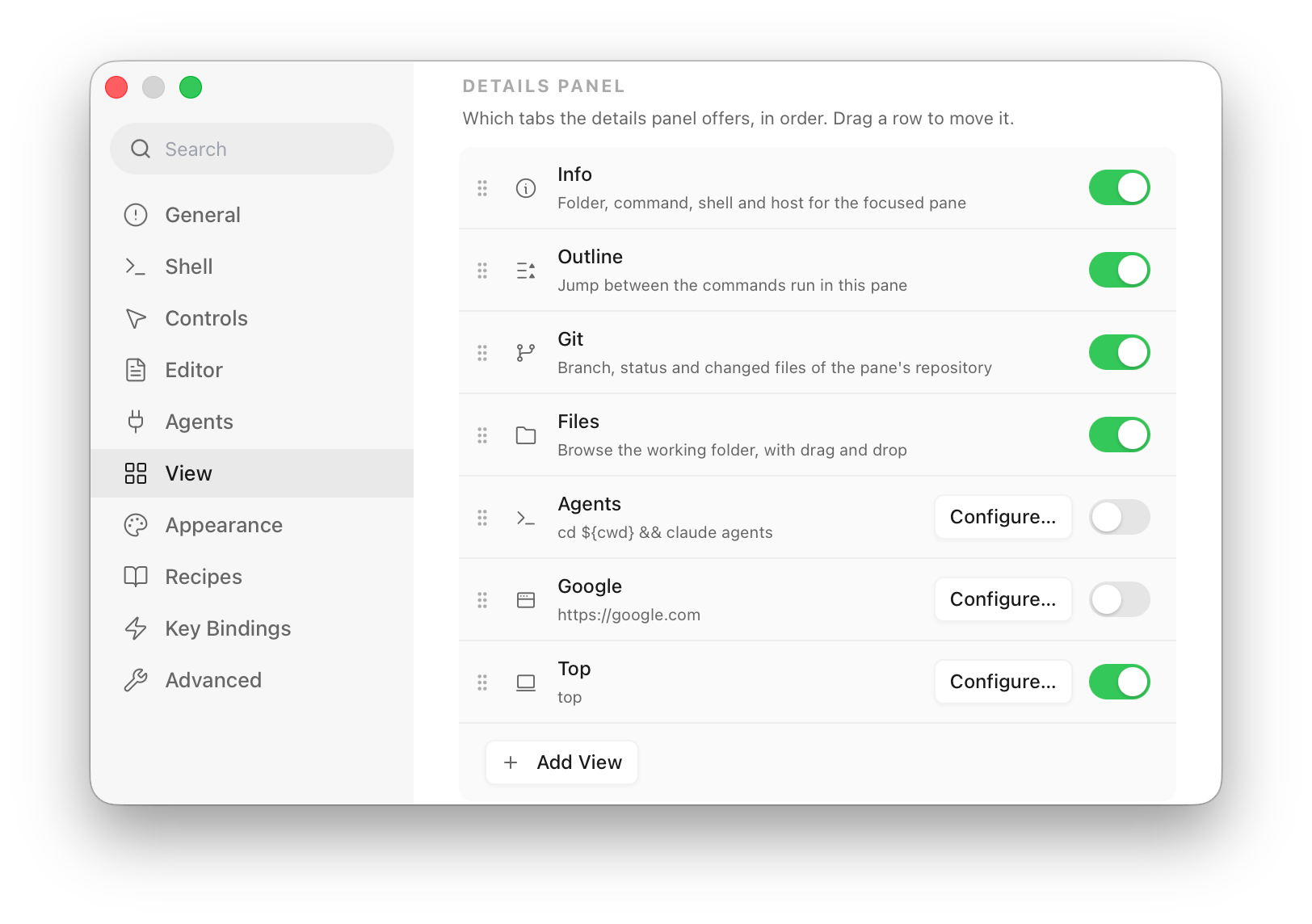
A Details panel you decide the shape of — Info, Outline, Git and Files become rows you drag to reorder or switch off, and Add View puts a program (in an embedded terminal) or a URL (in a web view) in the panel beside them. A view's command line interpolates the focused pane — ${cwd}, ${file}, ${branch}, ${agent} and more — so lazygit -p "${cwd}" follows your focus, and otty view / otty edit run from inside a view load into that view instead of opening a pane. Learn more.
Custom Details Viewclaude agents (cli)
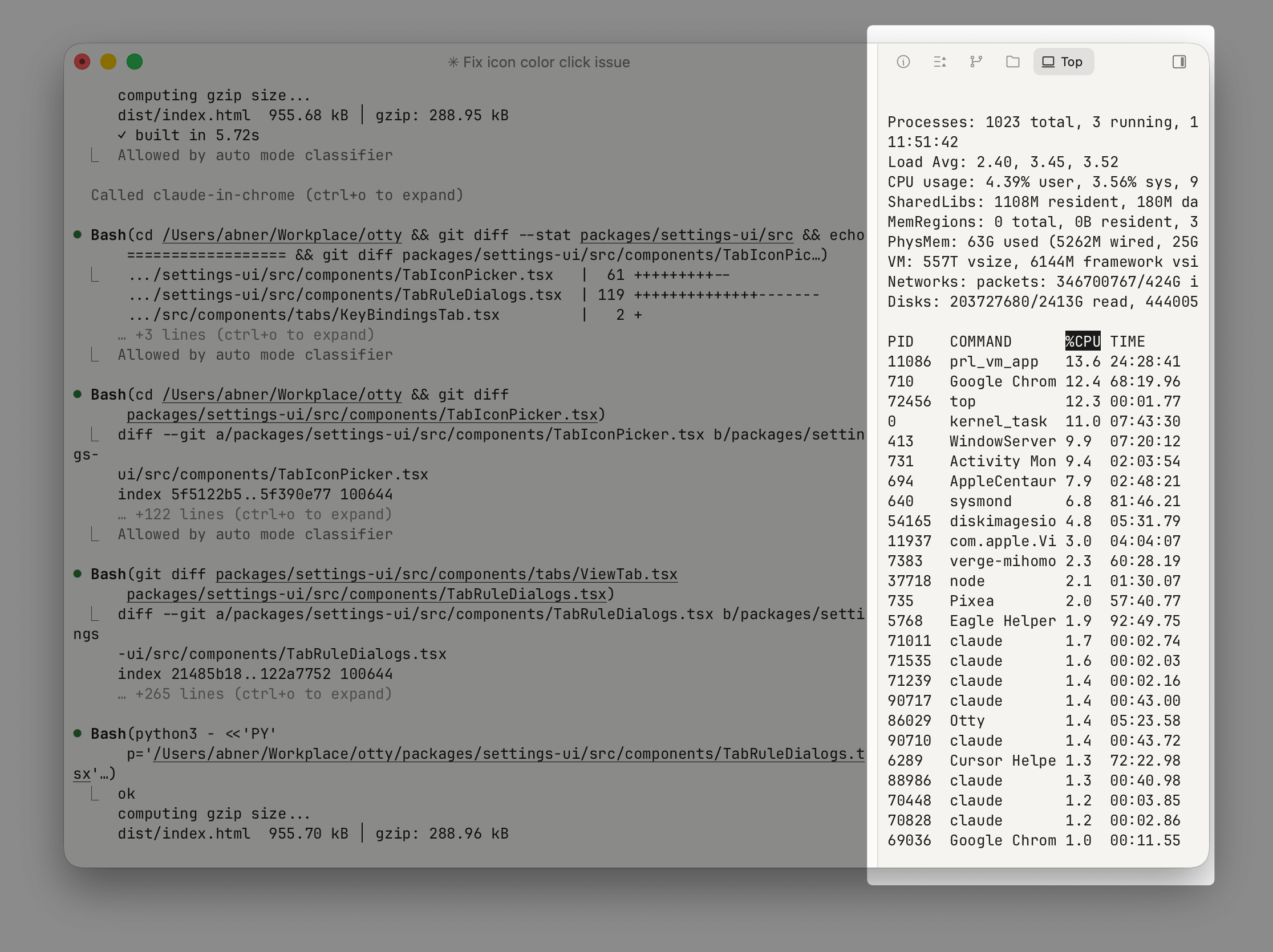
top (cli)
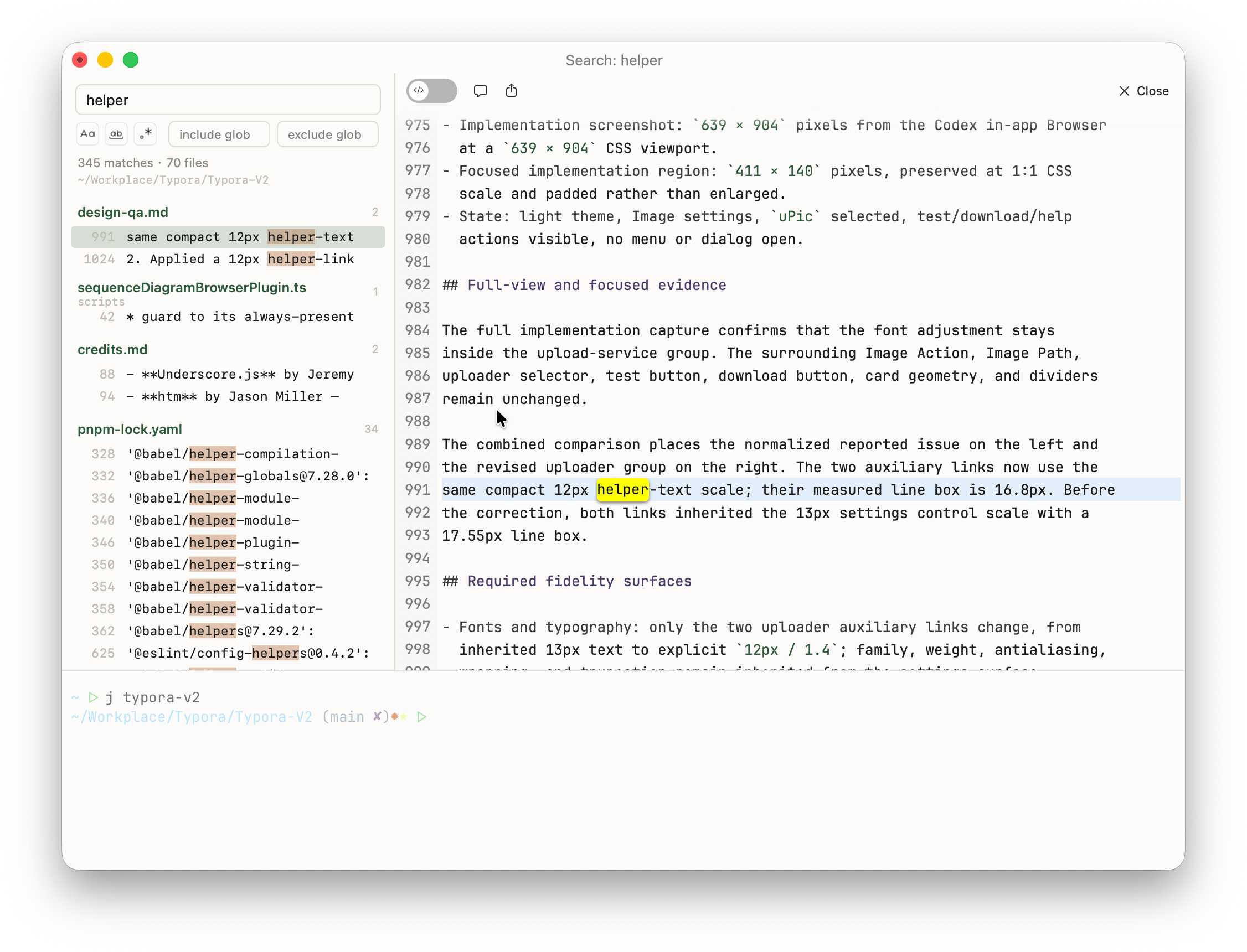
Search in Files — search what's inside your files, not just their names. View ▸ Search Across Files (also in the command palette) opens an empty search on the focused pane's folder; Search Files, beside Search in Current Tab in Find in All Tabs, and the last row of Open Quickly's Files list both hand over a query you have already typed. Results land in an ordinary tab; give it the width and it splits — results on the left, the hit's file on the right with syntax highlighting, ↑/↓ walking the hits while the preview follows. ripgrep ships inside the app, so what you get doesn't depend on what's on your PATH. Learn more.
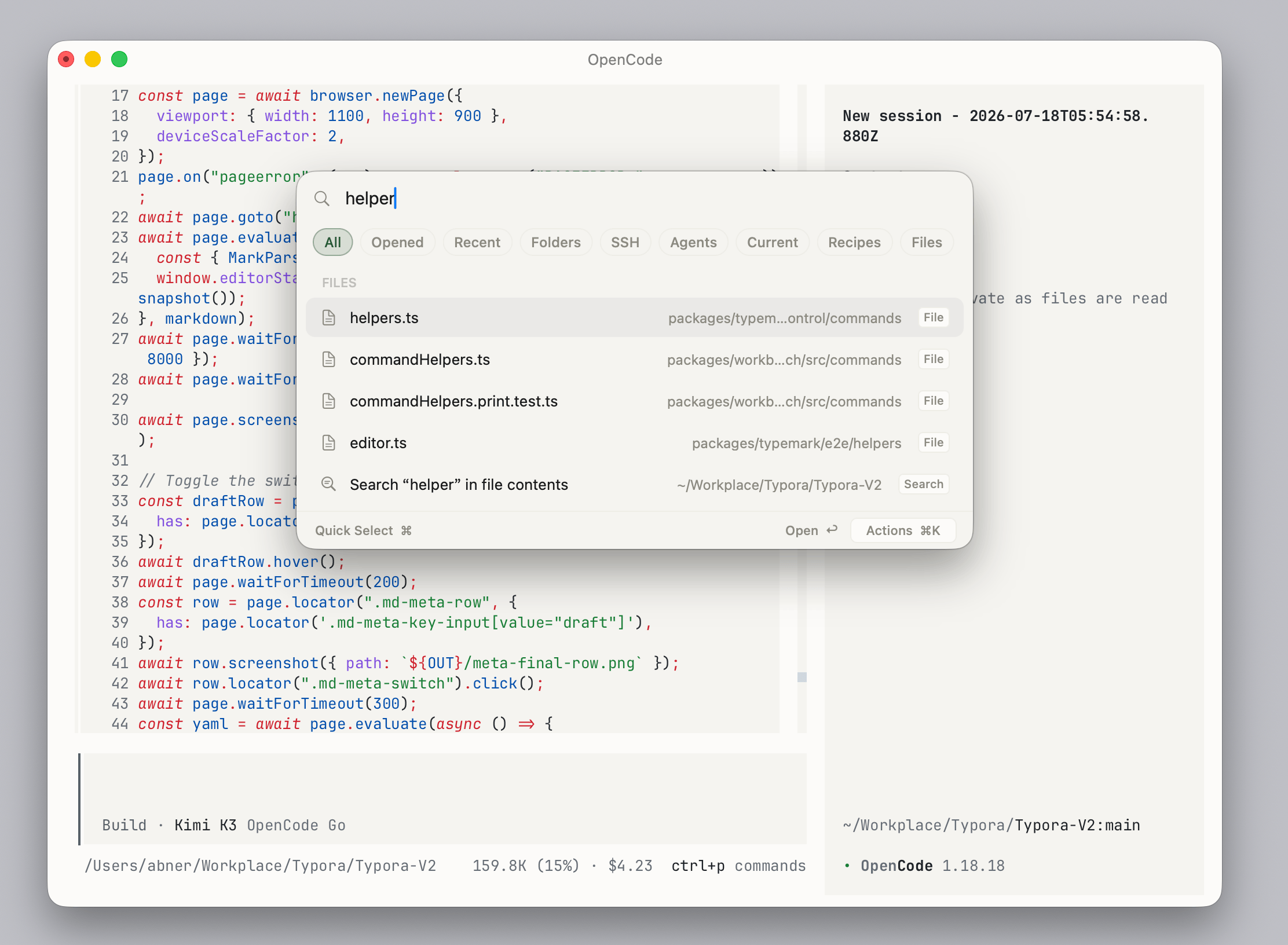
Open Quickly ▸ Files — a new filter listing the files under the focused pane's working folder, newest first: press ⌘P inside the ⌘⇧O picker, or go straight there with View ▸ Open Files Quickly. In a Git worktree the list comes from git ls-files, so ignored build output never shows up. Learn more.
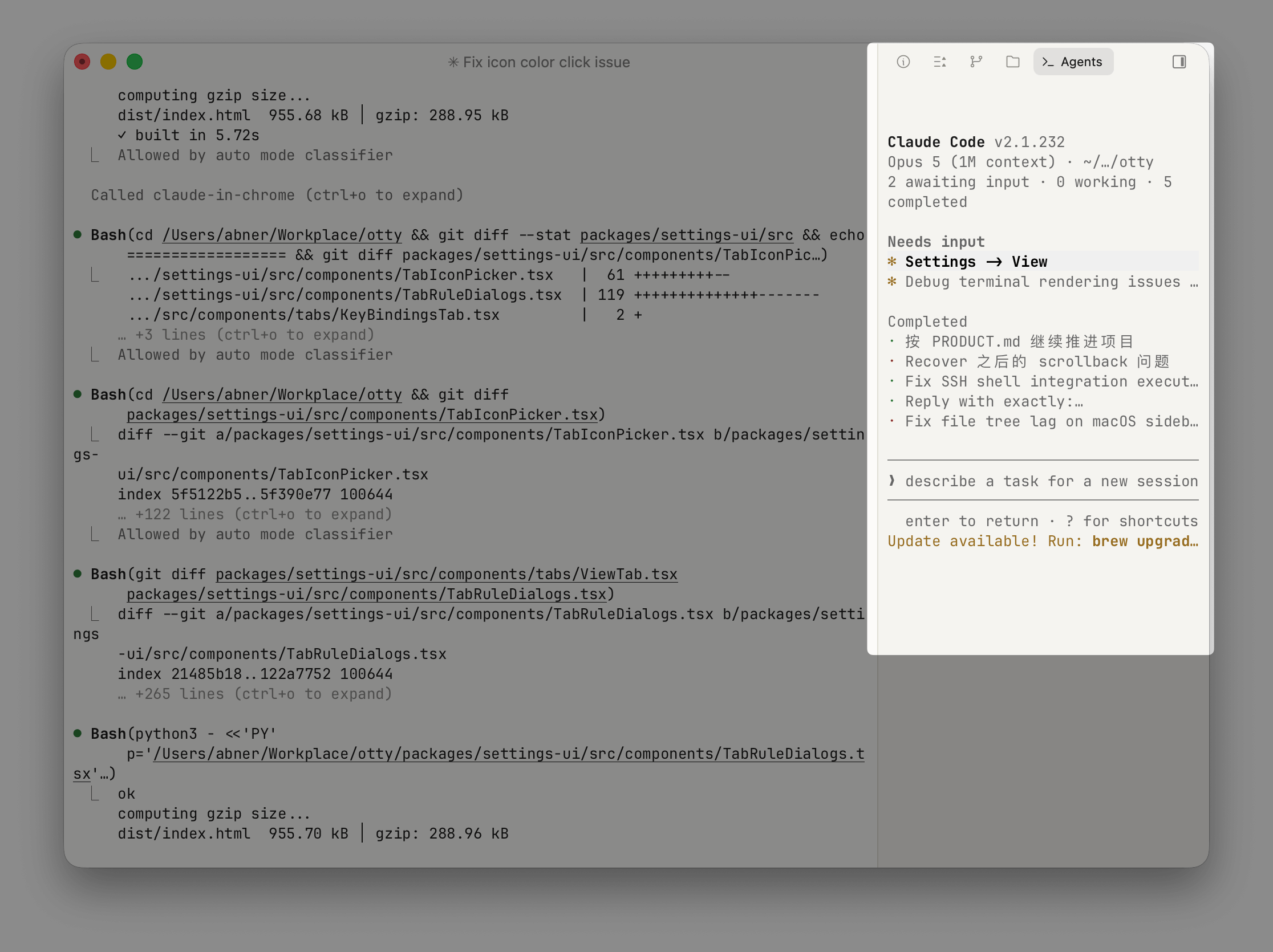
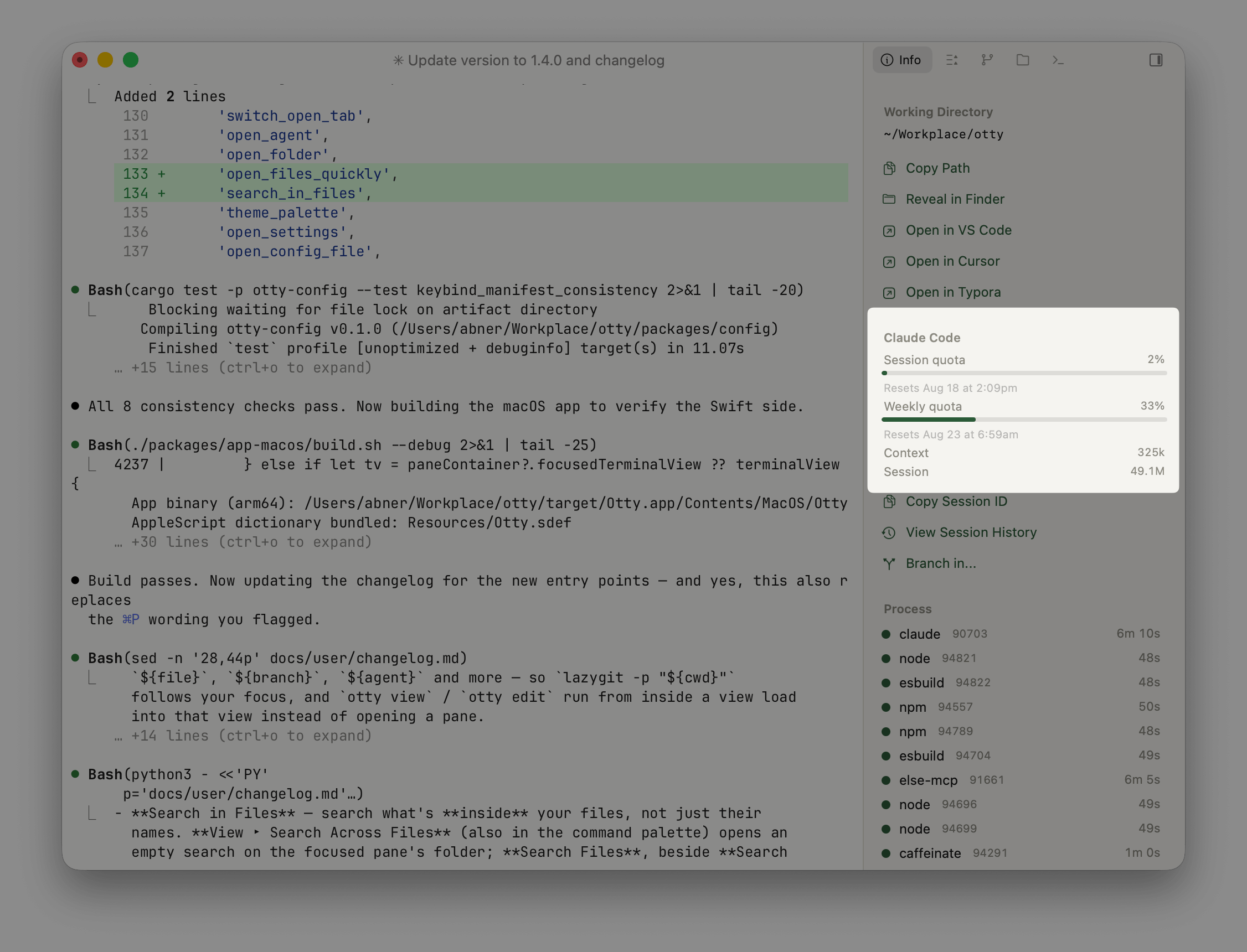
Agent usage and plan quota — the details panel's agent group shows what a session has spent: context occupancy and token totals for Claude, Codex, OpenCode, pi, omp and Kimi, read out of the log each agent already writes. Plan limits are a separate per-agent switch under Settings ▸ Agents, because reading them runs the agent's own CLI: Claude (on out of the box) and omp report their session, weekly and monthly ceilings, and Codex's come from codex app-server, so they're current rather than whatever this machine happened to see last. Learn more.
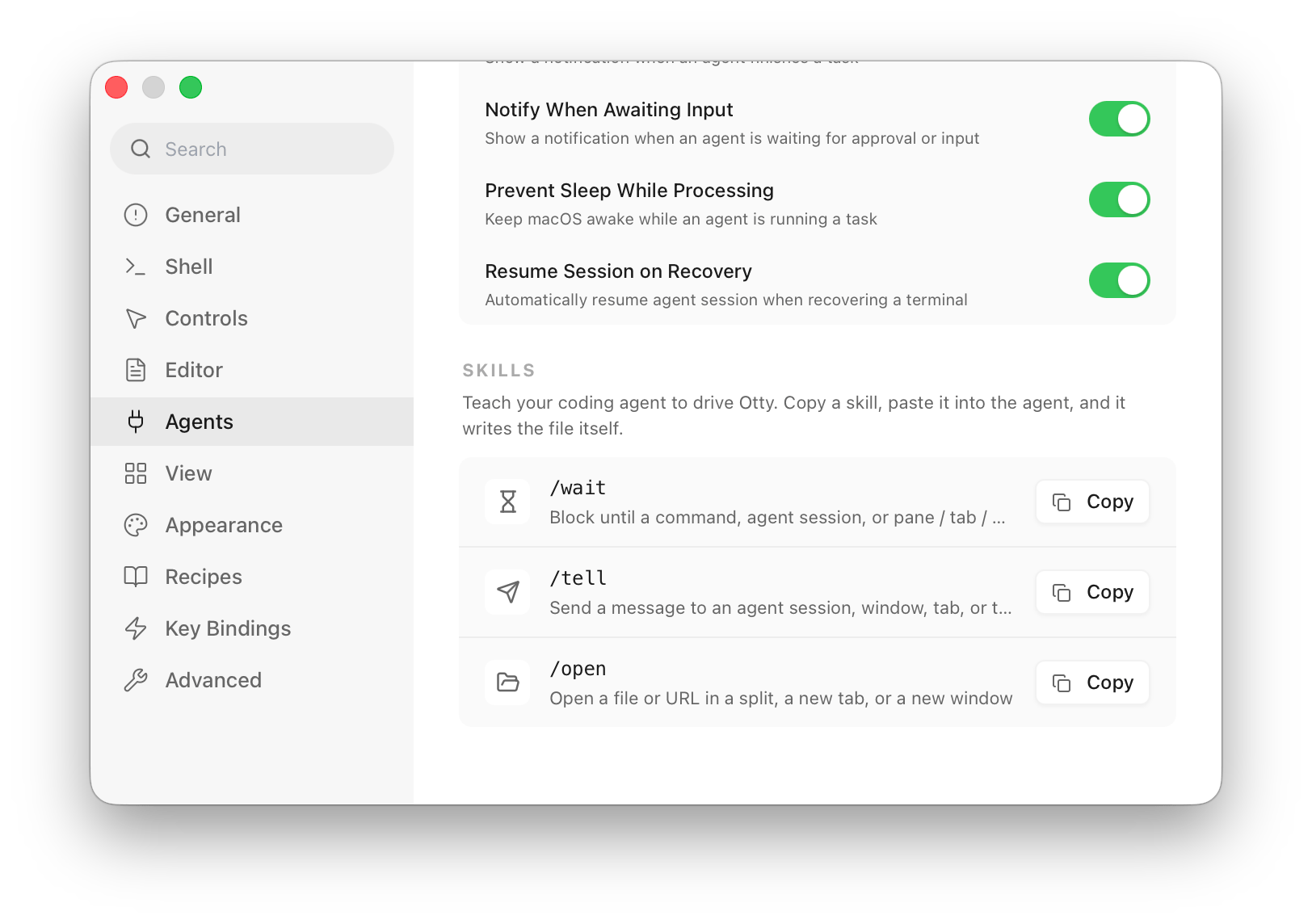
Otty skills for your coding agent — a Skills card at the bottom of Settings ▸ Agents hands /wait, /tell and /open to your agent as an installer prompt you paste in, and the agent writes the file itself — nothing is installed behind your back. Rename the skill if you already have one by that name, and the dialog shows what to type once it's there. Learn more.
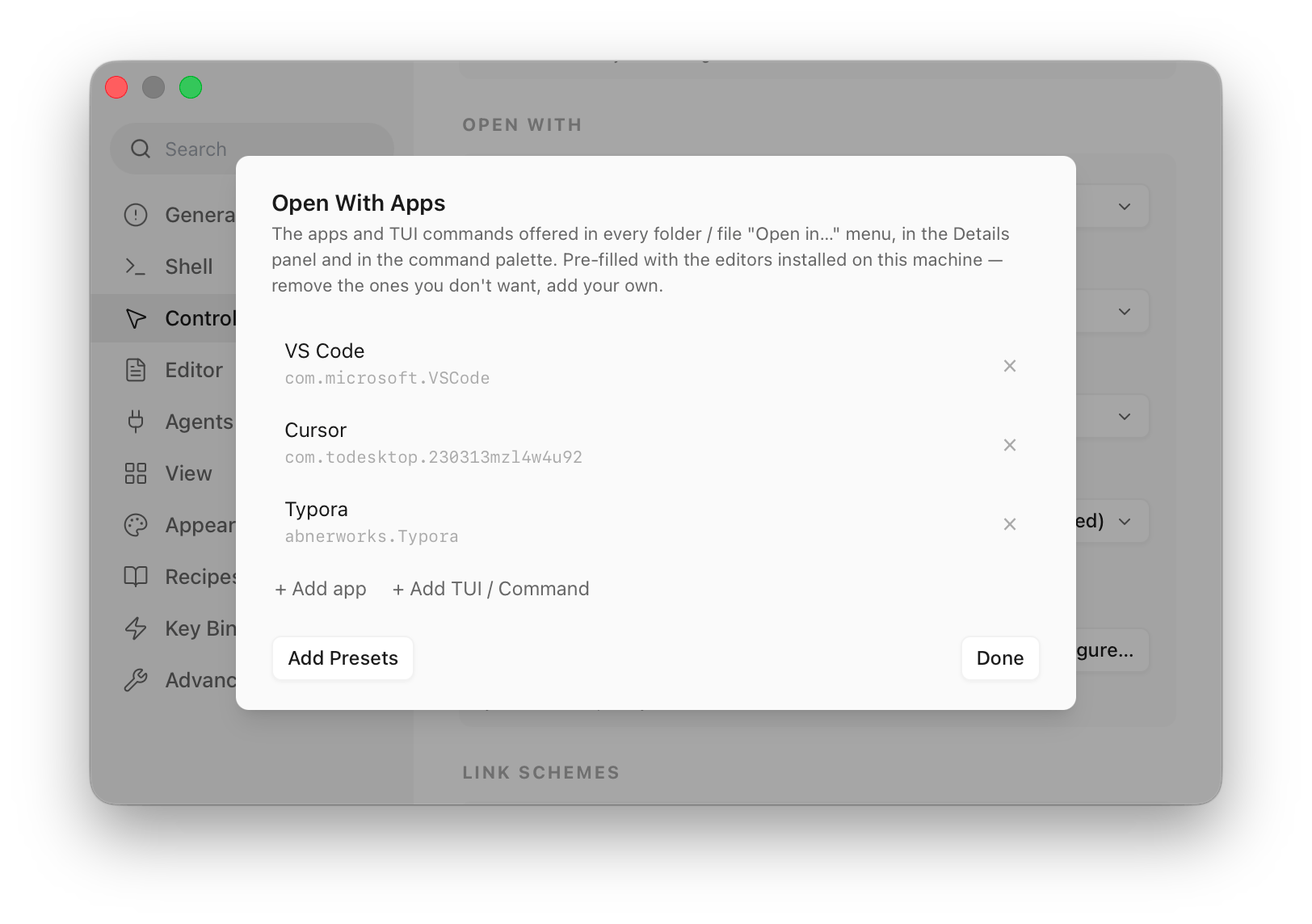
"Open in…" takes terminal commands and can hide apps— an entry under Settings ▸ Controls ▸ Open With can now be a command as well as an app, opening a new tab rooted at the folder or file and running there. yazi, lazygit and friends belong in the same menu as Fork and VS Code.
Editing a queued prompt — a queued prompt gains a pencil and edits in place (⌥↩ for a line break, Esc to cancel) instead of having to be thrown away and retyped. Auto-dispatch is suspended while you're editing, so a row can't be sent mid-sentence. Learn more.
Unfocused Split Opacity (Settings ▸ Appearance) — how far split panes without focus fade, which used to be hard-coded. 1.00 turns the dimming off entirely, which is what you want when several panes are being watched at once.
Improvement
Terminal rendering now skips rows whose content hasn't changed instead of re-shaping every visible row on every frame. On a mostly static screen with one spinner in it, that's nearly all the per-frame work gone.
Smooth scrolling reaches a conventional notched wheel, not just trackpads and the Magic Mouse. It's the same Smooth Scrolling setting; a detent's distance is now spread over the following frames rather than landing in one jump.
Up walks what the pane in front of you ran. Command history now defaults to per-pane instead of following your shell's own default, because for a terminal with panes that default is the wrong one: zsh's share_history — which oh-my-zsh turns on for most people — makes Up in one pane surface whatever a sibling pane just ran. The whole history file is still read at startup, so nothing is hidden and a fresh pane inherits everything; only the live cross-talk stops. bash gains histappend out of this, which fixes a worse default of its own — without it the last shell to exit overwrites the file and every other window's commands are simply lost. follow-shell remains for anyone who wants Otty to keep its hands off their shell configuration entirely.
Bug fix
Fixed pressing / in codex putting /[47;1:3u in the composer, and switching away from the tab and back appending [O[I. Input was handed to the program one byte at a time, so a lone Esc could arrive on its own — and every TUI that reads it, codex and zellij and gitui and atuin among them, takes a solitary Esc for the Esc key and types the rest of the sequence out as text. Escape sequences now go out whole.
macOS never raised the Local Network prompt for Otty, so ssh 10.0.0.5 died with "No route to host" while Otty stayed absent from Privacy & Security ▸ Local Network — denied by default, with no way to grant it by hand. The request now comes from the app itself the moment a pane runs a tool aimed at a private, link-local or .local address. ssh github.com and ssh localhost stay silent.
A command run in a pane can ask for Automation access again. osascript and anything else that drives another app through Apple Events was refused outright, because the entitlement that lets a pane's child processes ask never reached the signed bundle.
Fixed the text you just committed with an IME appearing twice for a frame — 「我我」 — and for considerably longer on an Intel Mac. The overlay that bridges the gap between the IME's commit and the shell echoing it back was drawn at the cursor's new position, on top of the echo that had already landed there.
Opening a folder from Finder, or with open -a Otty <dir>, no longer races a cold launch. Launch Services can hand the path over before the previous session has been restored; the folder now waits for that window and arrives as a tab in it, instead of a second window landing beside it.
Fixed ssh host 'command' running the remote command twice when SSH shell integration is on. On the first connection to a host Otty probes it to see whether your TERM is known there — and that probe carried your own command along with it, so the command ran once in the probe (with a stray otty_term=… argument appended to it) and once for real. Plain interactive ssh host was never affected, so this mostly bit scripts, deploy one-liners and agent tooling. Reported by Eugenio Gotti.
The same fault stopped the probe from ever recording success, so it re-ran on everyssh call instead of once per host, and each run left a copy of your Mac's terminfo description in ~/.terminfo on the remote, where it shadowed the distribution's own more complete entry. For remote programs that changed, among other things, what the Backspace key and mouse reporting look like. Otty no longer installs anything when you pass a remote command, and the new otty ssh terminfo command finds and undoes what earlier versions left behind — see $TERM and Identification → terminfo.
Removing an app under Settings → Controls → Open With → Open With Apps now actually removes it. Open in VS Code / Cursor / Xcode were added on top of that list rather than being part of it, so deleting one changed nothing: it came straight back in every folder and file Open in… menu, in the Details panel and in the command palette. Those defaults are now ordinary rows in the list — it opens pre-filled with the editors installed on your Mac (whatever you had added yourself is kept), and what the list holds is exactly what the menus offer. Add Presets puts the defaults back if you change your mind, and no longer dumps in every TUI tool it can find on your PATH — Add TUI / Command is still there for yazi, lazygit and friends.
A Sixel picture now disappears when the program paints over it. yazi drops an image preview by writing blanks across the pane and sending no graphics command at all, so moving the selection off a picture left it on screen — and the next preview added a second one beside it. Pictures also survive a full-screen program running over them instead of being destroyed by it, and an image no longer drifts from the row it was drawn on as scrollback fills.
Fixed a command that hadn't finished yet being reported to Autocomplete as failed. Both readers of that report consume it, so the real exit code arriving later found nothing left to correct: a genuine failure was never recorded, and the typo that caused it stayed in your suggestions.
Restore no longer loses a pane's scrollback or brings a closed tab back. Two writers were breaking an invariant only restore reads — binding an agent re-homed a pane onto a tab row that didn't exist, and a late save after a close wiped the closing stamp, so the crash sweep adopted the tab as an orphan and reopened it. A restored tab is now built holding its own stored identity, rather than being handed one afterwards, where a difference in count or order could make one tab adopt another's row.
⌘⇧T no longer jams. A search tab minted a fresh identity when it closed — one that by construction names nothing to restore — and a failed reopen stays at the head of the queue, so every older closed tab was stranded behind it.
Fixed a restored pane's Up arrow walking a sibling pane's commands. The pane's own history was written out correctly; zsh just loaded it too early, under the shared history rather than on top of it.
An agent you exited hours ago is no longer resumed at the next launch. The check that retires the binding read an in-memory value that ordinary UI work — switching tabs, activating the window, opening a menu — clears without touching the record, after which the binding survived every /exit, every later command and the quit sweep.
A pane opened to watch a background Claude agent (claude attach <id>) no longer claims that session as its own: it came back from a restart running claude --resume <id>, which the CLI refuses outright, and detaching left the badge and notifications following an agent you were no longer watching.
An agent shelling out to another agent's CLI — a Claude subagent running kimi -p /usage to read a quota — no longer makes the pane adopt the tool it just invoked. The pane's real session was retired underneath it, so the tab's badge froze mid-spin while the work was still going, and the pane's identity stuck on the wrong agent.
Fixed otty config reload printing "Config reloaded" without reloading anything: it posted the change notification but never re-read the file, so every observer refreshed against the configuration the engine already had.
Fixed a split tab losing its pane count when the tab icon and badges are in separate placement.
Add Rule in Settings no longer discards the row it just added, which made the button read as dead.
Fixed File → Open Recent doing nothing when one of a window's tabs had lost its saved record — the window refused to open at all rather than come back with the tabs it still had, and the same window was dropped silently at every launch. The tab count in that menu now matches what will actually restore, and a window with nothing left to restore no longer appears in it.
A tab closed with a split open no longer risks being left out of its window on the next launch: a tab's saved identity is now fixed when it is created instead of following its first pane.
Closing a tab, and the periodic cleanup of stale session records, are now each a single all-or-nothing write. Quitting or crashing partway through can no longer leave a window pointing at tabs that are no longer there.
Fixed Copy returning the terminal's first line in a freshly opened window — mouse selection resolved a few rows above the pointer until the window had been on screen for a moment.
Fixed Shift+click and Shift-drag inside a mouse-tracking program selecting most of the viewport instead of extending from where you clicked.
Esc closes the fzf window opened with Ctrl-R again.
Fixed ligatures rendering squeezed and detached in split-style fonts such as Zed Mono and Fira Code.
A program killed mid-session no longer strands the terminal on the alternate screen, with mouse reporting on, or with the cursor hidden — that state is reclaimed at your next shell prompt.
Fixed Ctrl+Shift+T and other Kitty-protocol chords silently degrading to their legacy form inside agent CLIs that mark up their own output.
Fixed the SSH Files panel sitting on "Waiting for SSH authentication" for the rest of the session when its first probe lost the race.
Fixed session restore replaying a screenful of prompt fragments in panes where no command ever ran, with two-line prompts such as powerlevel10k and starship.
Fixed scrollback being dropped on restore under bash when starship, atuin, or ble.sh claims the DEBUG trap.
Fixed config.toml collecting one more (reset to default) comment on every font zoom cycle. Config writes are atomic now, so a crash mid-write can no longer truncate the file.
Directional pane focus remembers where you came from: leaving a stacked pane and coming straight back lands on the pane you left.
Sixel graphics — inline bitmap images from chafa, img2sixel, lsix, and anything else that speaks Sixel, alongside the existing Kitty image protocol. Learn more.
More coding agents — Cursor CLI, Kimi Code, Pi, and omp join the built-in integrations, with session resume, history viewing, and fork where the agent supports it. Learn more.
Vim keys in the editor — modal editing in file panes and in the agent history pager, toggled from the Command Palette (Editor Vim Keys).
Mark Tab — set an unread, processing, or failed badge on a tab by hand, from its context menu or the Command Palette. A tab marked Processing flips to unread the moment its next command or agent turn finishes.
Scripting a live pane — otty pane send-text, otty pane run, and otty pane exec type into a pane, run a command, and report the process state back to a script or an agent. Learn more.
otty:// links — a deep-link URL scheme that focuses a specific window, tab, or pane. Learn more.
Editor crash recovery — unsaved file-pane edits and their dirty state come back after a crash.
Clipboard consent — allow, ask, or deny when a program reads or writes your clipboard (Settings ▸ Advanced).
Mouse-mode bypass keys — choose which modifier hands the pointer back for selecting text or opening a link inside a mouse-tracking program (Settings ▸ Controls).
Per-shell integration toggles — turn shell integration on or off for zsh, bash, and fish individually, with the master switch following your default shell.
Resizable Settings panel, and the UI font size now scales every piece of chrome text.
Never confirm on close — a Never option for the close confirmation, plus an option to hide the unsaved-changes dot in the window's close button.
Improvement
Splitting an SSH pane now reconnects to the same host and remote directory instead of dropping back to your local home folder.
The agent history viewer is fully keyboard navigable, and agent integrations in Settings are now a compact per-agent list.
The Git panel bounds its refreshes, so large or very dirty repositories no longer pile up git processes.
Terminal compatibility improved with Sixel and XTSMGRAPHICS reporting, full DECSCUSR cursor-shape and blink control, reverse-video screen mode, focus reporting, OSC 52 clipboard reads, notification urgency, and colour save/restore that also covers the palette a program set with OSC 10/11/12.
The Git sidebar disables Commit on a clean tree and no longer asks you to confirm a Fetch.
Bug fix
Fixed a blank flash while typing with an IME in agents that repaint the whole screen.
Fixed glass and vibrancy materials turning black in native full screen.
Fixed a crash when double-clicking a small file in the SSH file panel.
Fixed memory growing over long sessions — every pane rebuild stranded a scroll overlay and a wake box.
Fixed a cancelled pane drag leaving Esc dead app-wide until restart.
Fixed mouse selection landing on the wrong lines while scrolled back.
Fixed ligatures being squeezed and underlines cutting into glyphs on non-Retina displays.
Font Ligatures off / calt / dlig now actually take effect.
Fixed shade blocks rendering double-composited, and wide glyphs with overhang being clipped.
Fixed an image sequence split across two reads swallowing the output that followed it.
Fixed a Sixel redraw storm that could hang the terminal.
Pagers on the alternate screen scroll with the wheel again.
Fixed a dirty TUI exit leaving you stuck on the alternate screen with mouse reporting on.
Pasted text containing an embedded end-of-paste marker can no longer inject input into the shell.
Fixed the shell prompt being stranded after a resize.
Font scale is preserved across tab switches, and tabs sorted by update time keep a stable order.
New panes are sized to the pane area instead of the whole window.
Fixed folders that are symbolic links listing as empty in the Files pane.
Thin drag targets are now as wide as they look.
Ctrl-Space is forwarded to the terminal.
Claude session history and Outline now resolve inside Git worktrees.
Autocomplete no longer loses the first character of a command when the prompt redraws narrower.
Shell integration survives a pre-existing alias on a wrapped name instead of producing a zsh parse error.
Kimi Code is detected when it is only on your interactive-shell PATH.
Fixed a crash refreshing Git status in huge repositories with many dirty submodules.
Child processes can request microphone access.
A manual Mark Tab ▸ Unread dot stays visible on the active tab.
⌘J in Open Quickly switches to the Current filter instead of dismissing it.
Directional pane focus follows true border adjacency, so neighbours are never skipped.
Vertical sidebar tab order stays stable when focus moves between split panes.
Custom agent commands survive a session resume, and an opencode session no longer reports busy after it has gone idle.
AppleScript automation — open tabs, run commands, read a tab's visible contents or history, check whether a tab is busy, and set custom tab titles from scripts.
VoiceOver accessibility — the terminal viewport, selections, cursor position, tab rows, pane controls, toolbar buttons, and custom-drawn chrome are all narrated.
BiDi / RTL text — Hebrew, Arabic, and mixed-direction lines are reordered visually, while copy, paste, find, and scrollback stay in logical order.
Global hotkey — a system-wide shortcut brings Otty to the front, opening a window if none is open (Settings -> Key Bindings -> Global Hotkey).
New Window When All Windows Closed — keep a fresh terminal ready after the last window closes (Settings -> General).
Notification sounds — opt-in sounds for terminal notifications and task state changes.
Quit <program> — stop a stuck foreground TUI straight from the Command Palette.
Dark-mode app icon — a new app icon that follows the macOS appearance.
modifyOtherKeys (XTMODKEYS) — disambiguated key reporting for programs that request it.
Improvement
Added an install prompt when an agent integration is missing.
Added Git sidebar support for changed submodules, including nested submodules up to depth 2.
Added Reset to Built-in Version for stale built-in themes.
Added dragging a pane corner to resize its width and height at once, with a diagonal resize cursor at split junctions.
File drags can spring-load tabs after a short dwell, making cross-tab drops faster and easier to aim.
Files tree folders now toggle when you click the folder icon, not only the disclosure triangle.
Open Quickly finds more agent sessions, resumes agents after session reopen, and keeps the search query when switching filters.
Read-only mode and Vi mode survive view swaps and rebuilds.
Terminal compatibility improved with application keypad mode, backarrow key mode, and better Kitty keyboard-mode cleanup at the shell prompt.
Shell integration now survives zsh/bash noclobber settings when dumping aliases and PATH.
Reopening Otty while it is already running now opens a new window instead of doing nothing.
Double-clicking the standard title bar now zooms the window.
Tab names now follow the shell's OSC 1 icon title and the window title follows OSC 2, with cleaner labels for truncated working-directory titles.
Otty stays responsive during large reflows and Git status refreshes by moving PTY writes, resize reflow, and Git subprocess calls off the main thread.
Bug fix
Fixed transcript-wide find in agent history and re-enabled the Find menu over file panes.
Closed tabs are no longer resurrected from cached tab order on relaunch.
Fixed Dvorak-QWERTY Command shortcuts by resolving shortcuts with charactersIgnoringModifiers.
Fixed legacy modified Backspace, numeric keypad Enter, and macOS function-key private-use characters being sent incorrectly to the PTY.
Fixed Indic, Thai, and other complex-script combining marks that could render doubled, smeared, or as duplicate rows.
Fixed OSC 7 current-working-directory URI decoding for non-ASCII paths.
Fixed tab rename and prefix actions applying to the focused pane instead of the tab.
Fixed natural editing chords such as Option-Delete, Option-Forward Delete, Option-Left, and Option-Right.
New tabs now inherit the live current directory, and tab badges show the real shell/process state.
Fixed the glass-dark theme material on macOS.
Pane drag handles are confined to the handle capsule while the rest of the title area remains usable for window drag.
Toggling docked panels now reflows the terminal grid up front.
Split panes now tear down individually when their shell exits.
Esc is passed through to foreground programs instead of opening the autocomplete panel.
open -a Otty <folder> now routes to a tab in that folder.
--pane targeting now works across background tabs for send-keys, capture, and show commands.
Zoom resync no longer changes the effective font size.
Prompt queue state survives view rebuilds and restart.
Left/Right arrow caret movement is fixed for visually reordered BiDi text.
File -> New Window/Tab and Cmd-N remain usable when no window is open.
Clear Screen no longer wipes the grid on the alternate screen.
Custom keybindings can override Cmd-S, and Open Quickly filter shortcuts are no longer stolen by menu bindings.
Fixed UI font-size round-tripping and submodule Stage All handling.
Shift-click now extends the selection from the last click or the caret even when nothing is selected yet.
Trackpad momentum scrolling no longer floods full-screen pagers with a burst of arrow keys after you lift your fingers.
Multi-row Backspace/Delete now removes the whole selection reliably, and the caret collapses to the selection edge on arrow keys.
IME composition no longer stretches or compresses CJK glyphs on the row being composed.
Clearing the screen over a foreground program no longer leaves a literal ^L behind.
Fixed a spurious Claude "task complete" notification that fired once per subagent.